
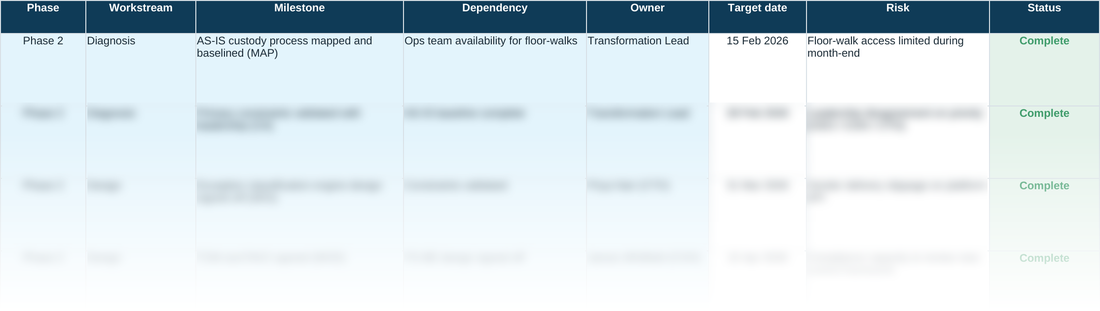
In a sentence — sequence the change into phased, owned milestones, with dependencies and delivery risk tracked against every one of them.
Sold under the Optimize10 Toolkit Licence Terms, which you will be asked to accept at checkout. The licence covers use within the purchasing organisation only. Buying for more than one company in a group, or for consulting or training work? Contact us.
A roadmap that looks credible on the slide and falls apart in delivery usually has one thing in common: nobody could see the dependencies until they broke. This tool forces every milestone to name what it's waiting on, who owns it, and how it's tracking — before it goes anywhere near a steering committee.
It isn't a generic Gantt template. Status updates colour themselves automatically as work progresses, so a stalled milestone is visible at a glance rather than buried in a status report nobody reads until the retrospective.
WHY THIS HELPS
One row per milestone, not per task — a milestone is a checkpoint the business would recognise as progress (‘pilot live in one branch’), not an internal step like ‘write test script’. If this sheet heads past roughly 15–20 rows, that's usually a sign of tracking tasks rather than milestones; that level of detail belongs in a project plan, not this roadmap.
WHAT DEPENDENCY SHOULD HOLD
Dependency is easy to fill with a vague risk statement, but it's asking a narrower question: what specific thing does this milestone need before it can start — a decision that hasn't been taken yet, another milestone further up the sheet, or a delivery from outside the programme entirely (a vendor API, a regulatory sign-off, a data feed). Naming that precisely is what makes a roadmap re-sequenceable when something slips, because you can trace exactly which downstream rows are now exposed rather than re-deriving the chain from memory in the steering committee. Risk is a separate column on purpose: Dependency is about ordering, Risk is about what could go wrong within that ordering — conflating the two is how a genuine blocker ends up buried in a general-purpose risk register nobody reads until it's already late.
PLAN · Change Roadmap & Plan — the blank tool
Ready to complete for your own engagement. Blue-tinted cells are for you to fill in.
Worked example
The same tool completed end to end, using the fictional Meridian Wealth Management scenario — see what ‘done’ looks like before you start your own.
A quick walkthrough of the sheet:
Need the full method, not just one step?
All twelve instruments, bundled at a discount against buying them separately.